
How to Get the Caderneta Predial Urbana from the Portal das Finanças
The caderneta predial urbana is one of the documents required for a property appraisal in a mortgage process. Here's how to get it in a few steps on the Finance Portal.
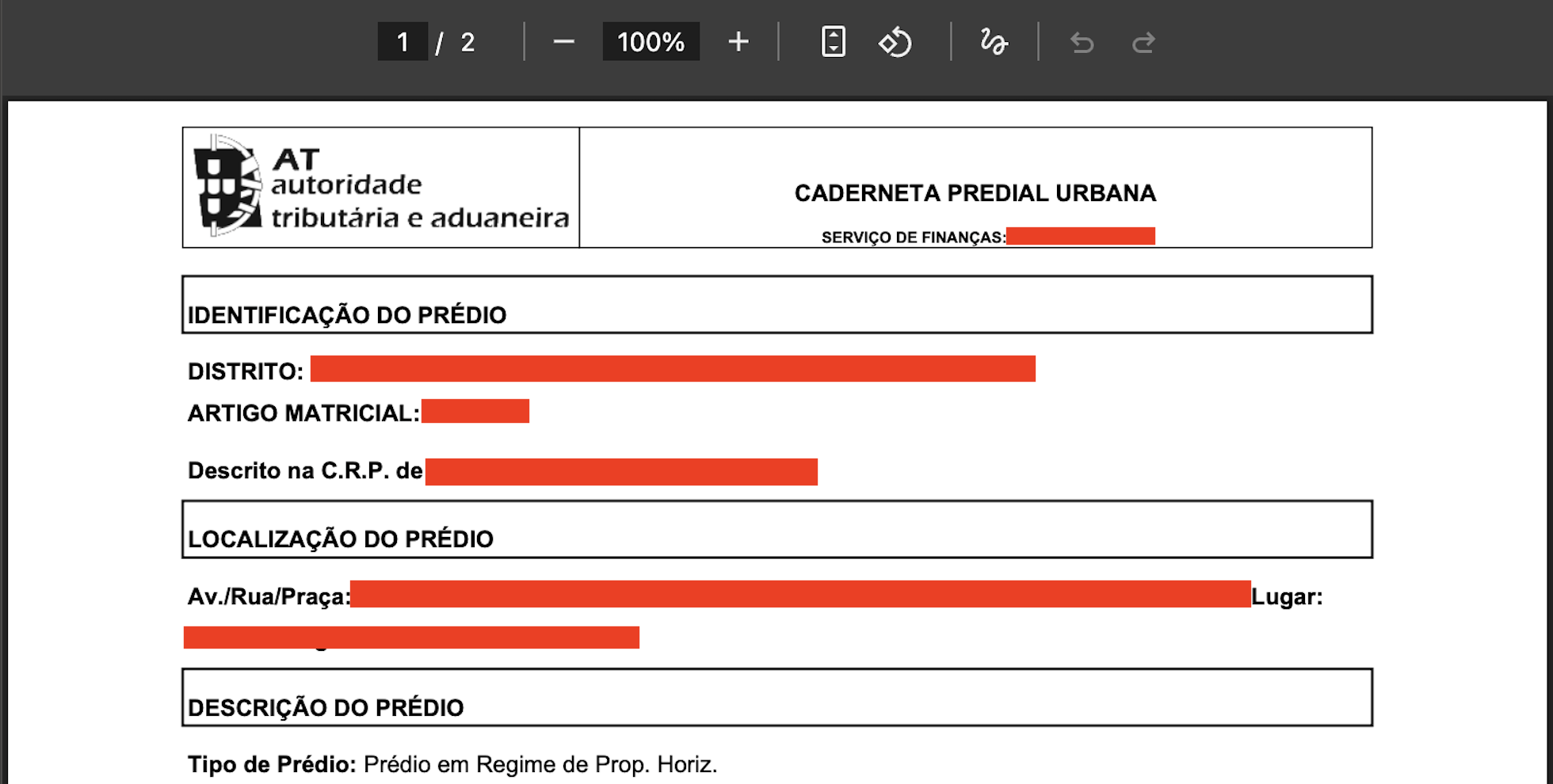
The caderneta predial urbana is the property's tax registration with the Portuguese tax authority — it identifies the property, its composition, and its tax valuation (VPT). It's one of the documents the bank requests during the property appraisal stage of a mortgage. You can get it online, in minutes, from the Portal das Finanças.
How to get it
- Go to the Portal das Finanças and log in with your NIF and access password (or Chave Móvel Digital).
- In the search bar, type "caderneta predial urbana".
- Under "Consultar património predial" ("Check property holdings"), click "Aceder" ("Access").
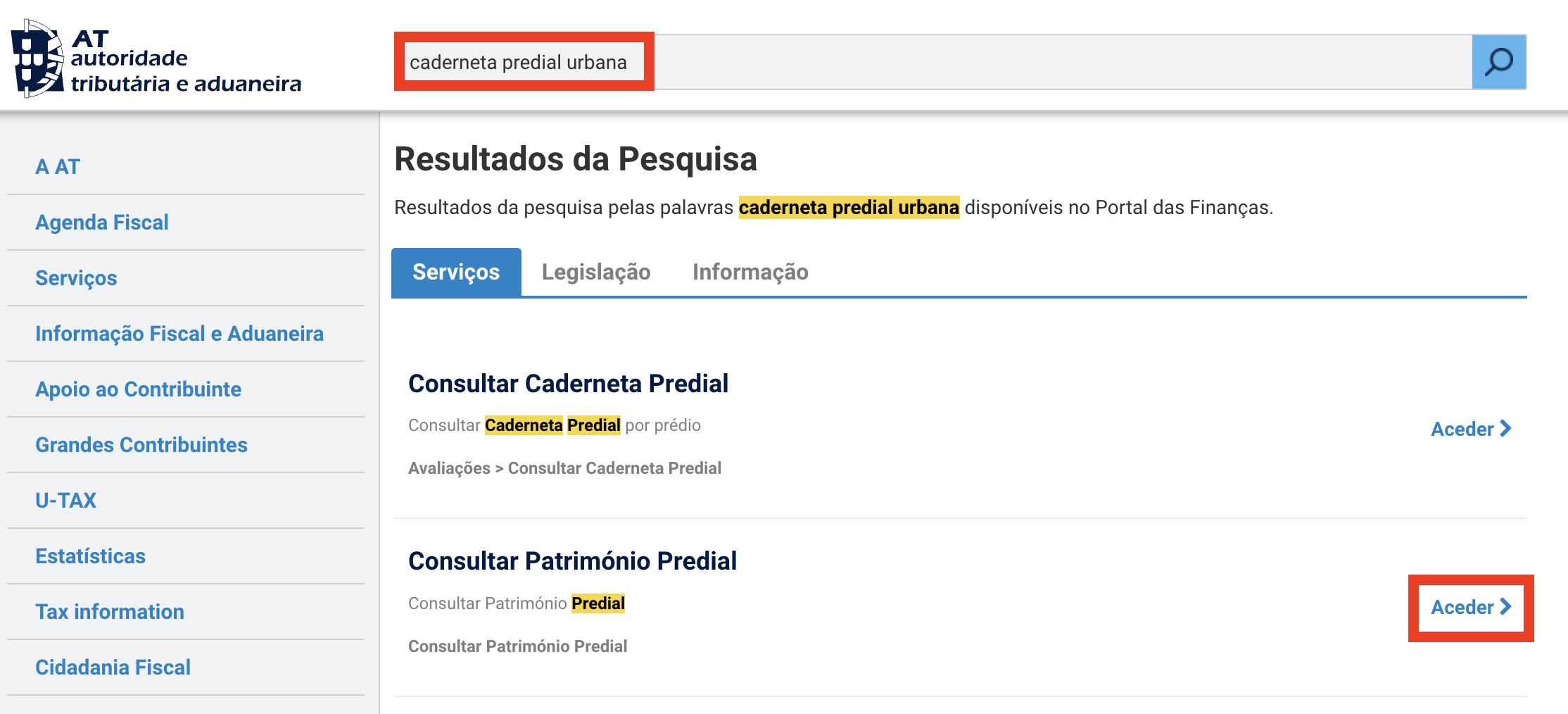
- Select the property from your list of urban properties, then choose the option to view or print the caderneta.
Note
If the property isn't in your name yet — for example, in an ongoing purchase — the seller is the one with access to this document. Ask them directly, or check with your mortgage broker whether the bank accepts obtaining it from the seller.

Equipa editorial · Intermediário de Crédito Vinculado
Atualizado a